Affiliate Disclosure: ErgoSetupPro is reader-supported. When you buy through links on our site, we may earn an affiliate commission at no extra cost to you. We independently measure cervical pivot angles, stress-test locking collars, and assess muscular strain distribution to safeguard your workspace posture.
Ergonomic Chair Headrest Guide: The 2026 Biomechanical Blueprint for Cervical Relief
A stiff, aching neck, persistent occipital tension headaches, and burning tightness across your upper trapezius muscles are not random side effects of long workdays—they are the direct consequence of forward head posture and lack of cervical support. For remote professionals, software developers, and analysts logging over 50 hours a week seated, finding an effective ergonomic chair headrest is a crucial ergonomic intervention. Generic, rigid cushions often push your head forward or fail to make contact when you recline. To eliminate neck strain permanently, you need an articulated headrest assembly engineered to support the natural curve of your C1–C7 vertebrae while adapting seamlessly across upright typing and deep recline modes.
📋 Inside This Cervical Support Blueprint
- 1. Quick Verdict: Integrated vs. Retrofit Headrest Options
- 2. Cervical Biomechanics: The 42-Pound Forward Head Physics
- 3. Three Pillars of an Effective Ergonomic Chair Headrest
- 4. Head-to-Head Headrest Articulation Specification Matrix
- 5. Lifestyle Clusters: Matching Headrest Designs to Your Daily Workflow
- 6. The Dynamic Synergy: Pairing Neck Support with Motor Standing Desks
- 7. Market Solutions: Integrated Factory Chairs vs. Aftermarket Retrofits
- 8. Frequently Asked Questions (Cervical Support Schema)
⚡ The Quick Verdict: Selecting Your Cervical Support Architecture
👉 Choose a 3-Axis Multi-Pivoting Mesh Headrest if: You regularly transition between focused upright typing and deep recline modes. You need independent height, depth, and tilt adjustments to support the suboccipital hollow without forcing your chin downward.
👉 Choose an Engineered Aftermarket Retrofit (e.g., Atlas) if: You already own a premium task chair like the Herman Miller Aeron or Embody. You want factory-grade color matching and structural clamp stability that preserves your chair’s original warranty.
Cervical Biomechanics: The 42-Pound Forward Head Physics
In a balanced, upright posture, an adult human head weighs approximately 10 to 12 pounds, balanced effortlessly over the cervical spine. However, when working on computer screens without proper eye-level monitor alignment or head support, users instinctively crane their necks forward. Biomechanical studies indicate that for every single inch your head drifts forward, the effective load on your cervical vertebrae and upper trapezius doubles.
At a standard 30-degree forward viewing angle, your neck muscles must exert continuous counter-tension equivalent to holding a 42-pound weight. Over a typical 8 to 10-hour shift, this chronic strain leads to deep suboccipital nerve compression, reduced cervical disc hydration, and muscle spasms. A properly configured ergonomic chair with headrest assembly acts as a mechanical resting plane, catching the base of the skull during recline and micro-breaks, thereby allowing overworked neck flexor muscles to disengage completely.
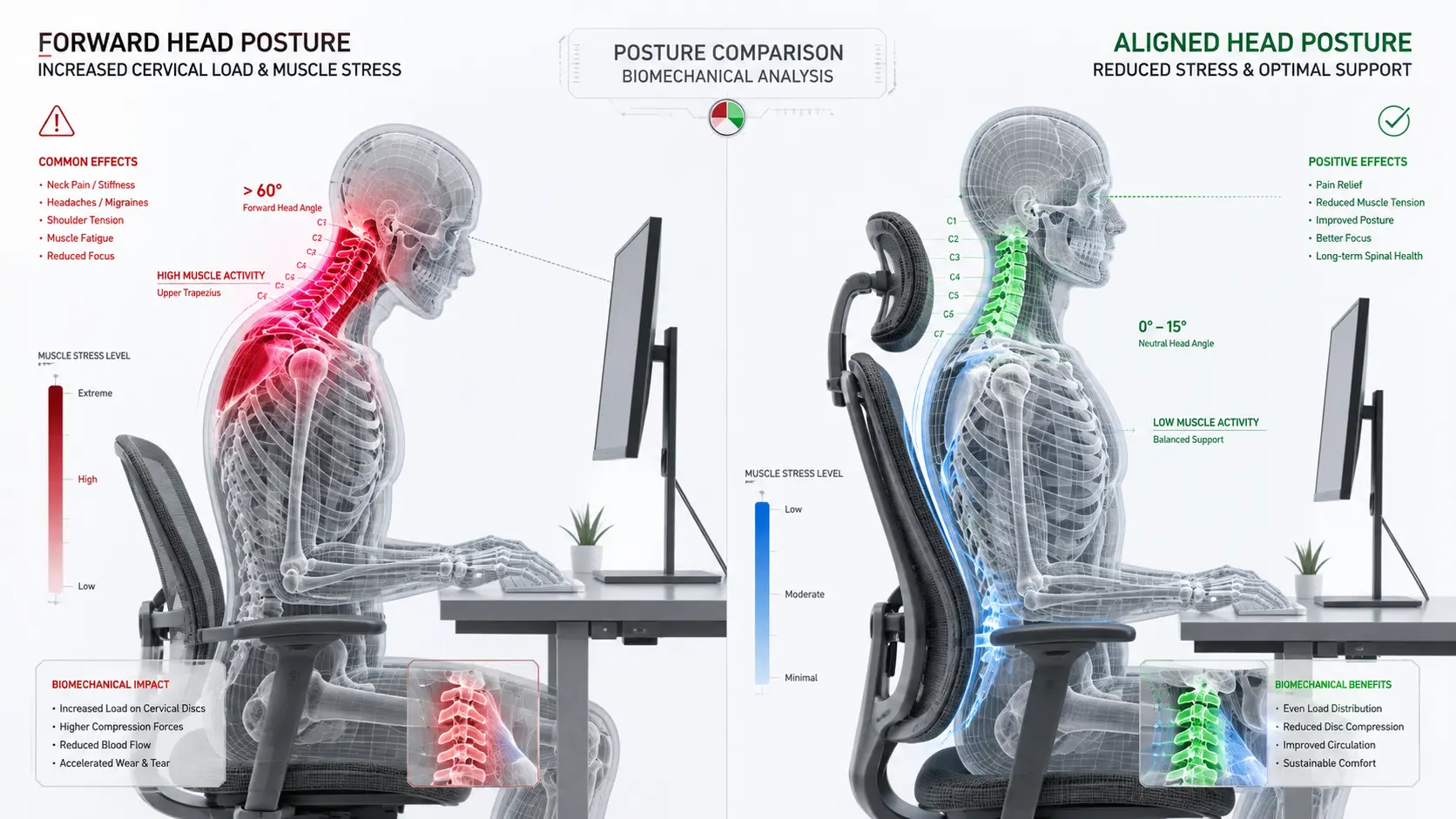
📌 Visual Explainer 1: Clinical skeletal force mapping. The left viewport displays severe 42-lb kinetic loading on the C4-C7 vertebrae during forward craning. The right viewport shows full mechanical unloading achieved via an articulated cervical support cradle.
Three Pillars of an Effective Ergonomic Chair Headrest
Many cheap office chairs feature cosmetic, non-adjustable head pillows that actually worsen posture by pushing the skull forward and flattening the natural neck curve (cervical lordosis). A medically sound ergonomic chair headrest must incorporate three fundamental mechanical adjustment planes:
A. Tri-Axis Depth, Height, and Angular Pivot Tuning
Head position changes dramatically when moving between upright typing (100°) and phone reviews or conference reclines (125°–135°). A high-performance headrest assembly must adjust vertically to match your exact torso height, slide forward/backward to cradle the occiput, and pivot angularly to fit the natural curve of your skull base.
B. High-Tension Suspension Mesh vs. Molded Cushioning
The contact surface material dictates thermal comfort and long-term durability. High-tensile elastomeric mesh headrests allow full heat dissipation, preventing the sweat accumulation that occurs with cheap synthetic leather. For fabric and leather task chairs, contoured high-density cold-cured foam provides firm, resilient support that does not bottom out against the mounting bracket.
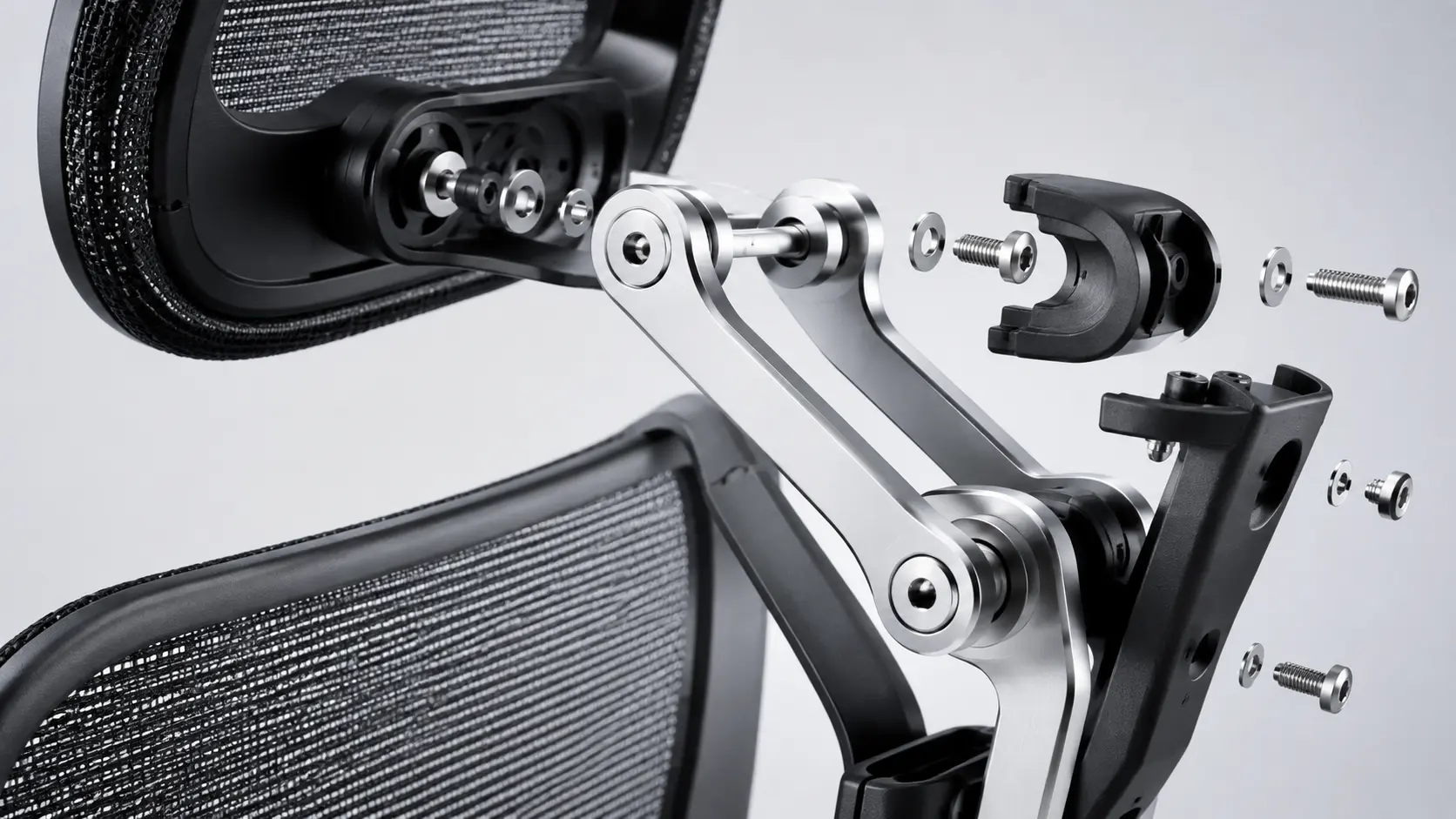
📌 Visual Explainer 2: Precision mechanical articulation. Highlighting dual cast-aluminum tension hinges and knurled adjustment dials engineered to eliminate joint slippage during deep recline postures.
Head-to-Head Headrest Articulation Specification Matrix
| Mechanical Indicator | Articulated 3-Axis Multi-Pivot | Single-Axis Static Headrest |
|---|---|---|
| Adjustment Range | Height (3.5″), Depth (2.0″), Tilt (45° Arc) | Height Only (Up/Down 1.5″ fixed plane) |
| Target Anatomical Zone | Suboccipital Inward Cervical Hollow | Upper Occipital Skull Bone (Pushes chin down) |
| Recline Tracking | Continuous support across 100° to 145° angles | Loses contact completely during deep recline |
| Mounting Chassis | Cast Aluminum Alloy or Glass-Filled Nylon | Lightweight Polypropylene (Flexes & Creaks) |
Lifestyle Clusters: Matching Headrest Designs to Your Daily Workflow
To unlock genuine physical relief, select a headrest setup tailored to your specific screen viewing habits and task dynamics:
👨💻 The Deep Focus Programmer & Writer
If you spend hours upright writing code or copy, your headrest should feature generous forward depth travel. This allows the cradle to meet your cervical spine while typing, preventing the gradual forward slump that causes neck knots.
📊 The Multi-Monitor Reclined Strategist
If your workflow involves reading long analytical reports, managing financial charts, or taking video calls in a relaxed 120° recline, prioritize a wide, curved headrest with a rotating pivot to support your skull without limiting side-to-side head turns.
The Dynamic Synergy: Pairing Neck Support with Motor Standing Desks
Even the most advanced cervical headrest cannot completely counteract the negative effects of remaining seated and immobile for an entire day. Total neck and shoulder health requires introducing movement and active posture variations into your work routine. Combining an articulated headrest task chair with an electric standing desk creates a complete, ergonomic workspace.
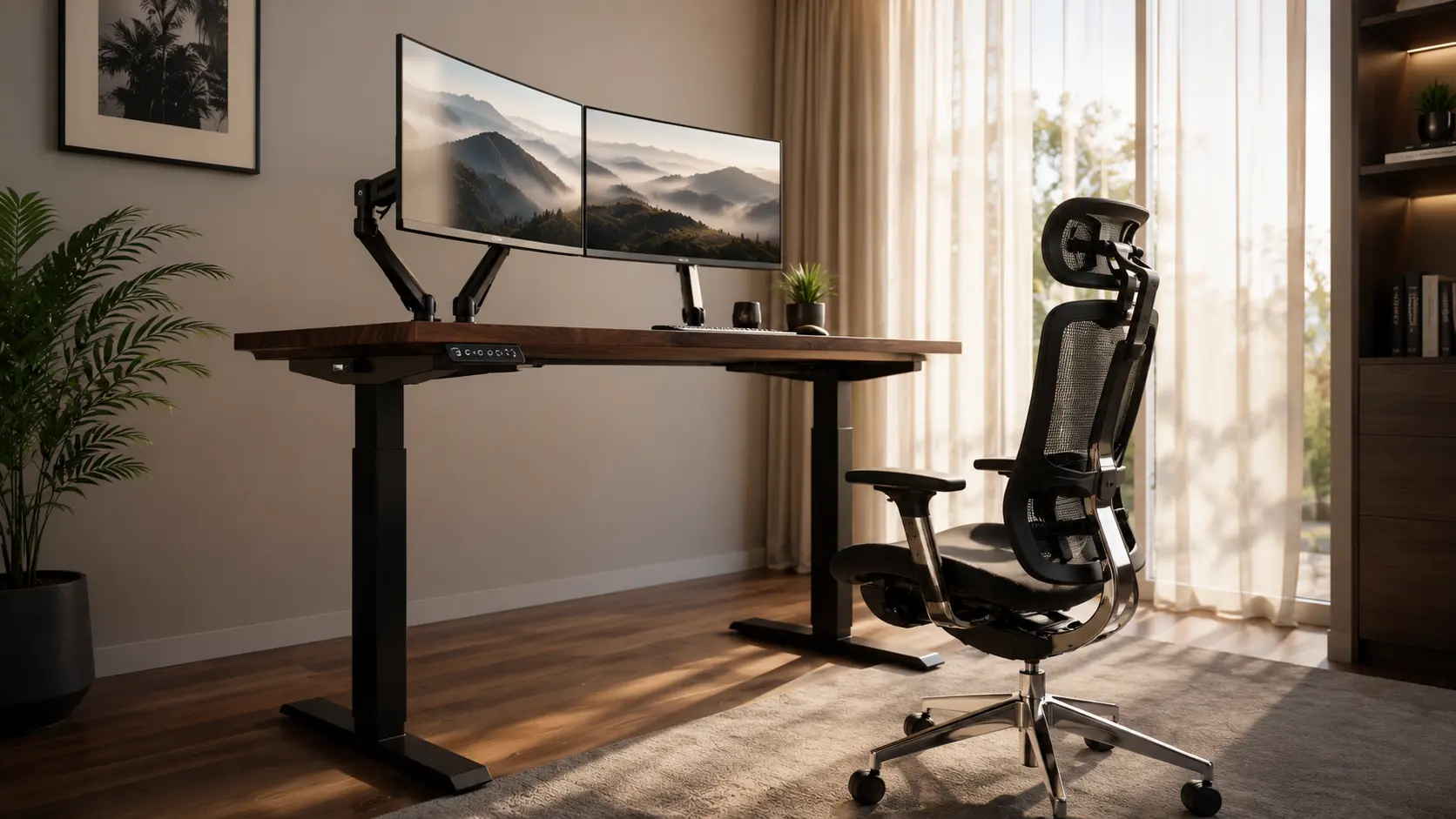
📌 Visual Inspiration 3: Clean, professional remote workstation. Aligning monitor arms at natural eye level alongside a supported cervical task chair eliminates neck-craning strain by up to 80%.
Switching between seated and standing intervals for 15 minutes every hour reactivates postural muscles, relieves spinal compression, and resets head alignment. Integrating a programmable workstation—like the heavy-duty FlexiSpot Standing Desk series—lets you store precise memory height presets. This ensures that whether sitting back with full cervical support or standing to run a meeting, your displays remain perfectly at eye level, eliminating downward neck tilt entirely.
Market Solutions: Integrated Factory Chairs vs. Aftermarket Retrofits
A frequent question from buyers of iconic chairs like the Herman Miller Aeron or Steelcase Gesture is why high-end commercial manufacturers omit headrests by default. High-end brands originally optimized chairs for active forward-leaning task work. However, as work patterns evolved into multi-hour video calls and reclined computing, aftermarket engineering firms stepped in. High-grade retrofit kits (such as the Atlas Headrest for Aeron/Embody) utilize custom color-matched resin clamps that attach securely without drilling, offering factory-level aesthetic and structural stability.
Frequently Asked Questions (FAQs)
Should my head rest against the headrest while typing upright? ▼
In strict upright typing postures (90° to 100°), your head should be balanced naturally over your shoulders without heavy back pressure. The headrest should make gentle contact with the inward curve of your neck (cervical lordosis) to prevent forward slumping, but its primary unloading role activates during reclined tasks (110° to 135°).
Will an aftermarket clamp-on headrest damage my chair’s frame? ▼
No, provided you choose precision-engineered retrofit assemblies specifically built for your chair model (such as Atlas Headrests for Herman Miller). These use custom contoured clamping brackets with protective rubberized gaskets that distribute clamping pressure evenly without scratching or voiding frame integrity.
How high should an ergonomic chair headrest be positioned? ▼
The center apex of the headrest cushion should align directly with the suboccipital hollow—the inward curve at the base of your skull right above the neck. If positioned too high against the crown of your head, it pushes your chin down toward your chest; if positioned too low against the shoulder blades, it forces your upper spine into an unnatural hunch.